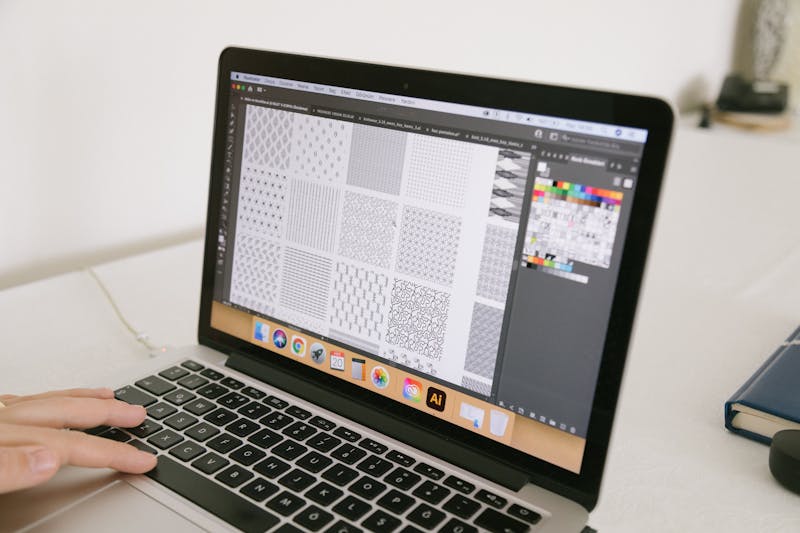
Converting images to vector graphics represents a fundamental skill in modern digital design. This process transforms pixel-based images into mathematical representations that can scale infinitely without losing quality. Whether you work with logos, illustrations, or technical drawings, understanding vector conversion opens up new possibilities for your creative projects.
Understanding Vector vs Raster Graphics
Before diving into conversion techniques, it is important to understand the fundamental differences between vector and raster graphics. Raster images consist of pixels arranged in a grid, while vector graphics use mathematical equations to define shapes, lines, and colors.
Raster images work well for photographs and complex images with many colors and gradients. However, they lose quality when scaled up. Vector graphics maintain crisp edges at any size, making them ideal for logos, icons, and illustrations that need to work across different media.
The conversion process involves tracing the pixel information in a raster image and converting it into vector paths. This creates a scalable version that preserves the original image's appearance while gaining the flexibility of vector format.
Methods for Converting Images to Vectors
Manual Tracing Techniques
Manual tracing offers the most control over the conversion process. Using software like Adobe Illustrator or Inkscape, designers can carefully trace important elements of the image. This method works best for simple images with clear outlines and limited colors.
The process begins by importing the raster image into vector software. Designers then use tools like the Pen tool to create paths that follow the contours of the original image. This approach allows for precise control over curves, corners, and details.
While time-consuming, manual tracing produces the highest quality results. It gives designers complete control over which elements to include and how to simplify complex areas.
Automatic Tracing Tools
Modern software includes automatic tracing features that can convert raster images to vectors with minimal user intervention. These tools analyze the image and generate vector paths automatically. Adobe Illustrator's Image Trace and Inkscape's Trace Bitmap are popular examples.
Automatic tracing works well for images with high contrast and clear edges. The software identifies shapes, lines, and color boundaries, then converts them into vector paths. Users can adjust settings like threshold, noise reduction, and path simplification to fine-tune results.
This method saves significant time compared to manual tracing, though it may require some cleanup work for complex images.
Online Conversion Services
Numerous online tools offer vector conversion services. These web-based applications provide quick results without requiring software installation. Many services use AI-powered algorithms to improve conversion quality.
Online converters typically support common formats like JPG, PNG, and BMP as input, producing SVG or other vector formats as output. Some services offer additional features like color optimization and file size reduction.
While convenient, online services may have limitations in terms of image size, quality control, and customization options. They work best for simple conversions and quick prototyping.
Choosing the Right Tools
The choice of conversion tool depends on your specific needs and skill level. Professional designers often prefer Adobe Illustrator for its comprehensive feature set and precision tools. Free alternatives like Inkscape provide similar functionality for those on a budget.
For quick conversions, online tools offer convenience. Specialized software like Vector Magic focuses specifically on image-to-vector conversion with advanced algorithms.
Consider factors like image complexity, required precision, and intended use when selecting a tool. Simple logos might work well with automatic tracing, while detailed illustrations benefit from manual techniques.
Best Practices for Vector Conversion
Preparing Your Images
Image preparation plays a crucial role in conversion quality. Start with high-resolution source images to capture more detail. Clean up the image by removing noise, adjusting contrast, and simplifying complex areas before conversion.
Consider the final use of the vector image. Logos require clean, simplified paths, while technical illustrations might need more detailed tracing. Adjust your approach based on the intended application.
Optimizing Vector Output
After conversion, optimize the vector file for better performance. Reduce unnecessary points on paths, combine similar shapes, and simplify complex curves. This reduces file size while maintaining visual quality.
Use appropriate file formats for different purposes. SVG works well for web graphics, while AI or EPS formats suit print design. Consider compatibility with your workflow when choosing output formats.
Quality Control and Testing
Always test vector images at different sizes to ensure they scale properly. Check for artifacts, jagged edges, or color inconsistencies. Make adjustments as needed to achieve professional results.
Compare the vector version with the original raster image to ensure important details are preserved. Sometimes, slight simplifications improve the overall design while maintaining the essential elements.
Common Challenges and Solutions
Converting complex images with gradients or subtle color transitions can be challenging. Break down the image into layers or use multiple conversion passes to handle different elements separately.
Low-quality source images often produce poor vector results. When possible, work with the highest resolution version available. For old or damaged images, consider manual cleanup before conversion.
Some images contain elements that don't convert well to vectors, like photographs with continuous tones. In these cases, consider combining vector elements with raster images or using different design approaches.
Advanced Techniques
Experienced designers combine multiple techniques for optimal results. Start with automatic tracing for basic shapes, then refine with manual adjustments. Use layer masks and clipping paths to isolate specific elements.
Consider the color palette when converting. Reduce colors to create cleaner vectors, or maintain the original colors for accurate reproduction. Some designs benefit from converting to black and white first, then adding colors manually.
Advanced users employ scripting and automation for batch processing. This approach works well for converting multiple similar images or creating consistent results across a project.
Future of Vector Conversion
AI-powered tools are revolutionizing vector conversion. Machine learning algorithms can now recognize patterns and create more accurate vector representations. These tools learn from user corrections to improve future conversions.
Cloud-based processing allows for more complex conversions that would be impossible on local machines. Real-time collaboration features enable teams to work together on vector projects.
As technology advances, we can expect even more sophisticated conversion tools that handle increasingly complex images with minimal user intervention.
Pro Tip
Always keep both the original raster image and the vector version. This allows you to make adjustments or reconvert if needed. Version control becomes especially important when working on client projects.
Conclusion
Converting images to vector graphics requires understanding both the technical process and artistic considerations. Whether using manual tracing, automatic tools, or online services, the key lies in choosing the right approach for your specific needs.
Practice with different types of images to develop your skills. Start with simple logos and gradually work up to more complex illustrations. Remember that the best conversions balance technical accuracy with visual appeal.
As vector graphics continue to play a crucial role in digital design, mastering conversion techniques ensures you can work with any type of visual content. The ability to transform raster images into scalable vectors opens up endless creative possibilities.
Ready to Convert Your Images?
Try our free vector conversion tools and see the difference professional vector graphics can make.
Start Converting